- Home >
- Content design portfolio >
- Prototyping
Prototyping
With a working knowledge of front-end coding languages and development environments, I’ve designed and built websites and staging environments. While working as part of a mulitidisciplinary user-centred design team in digital service development, I have built and developed shareable working prototypes to be tested by collaborative teams and deployed for usability testing with real service users.
Custom coded website prototyping: Localhost > node.js > GitHub > Heroku
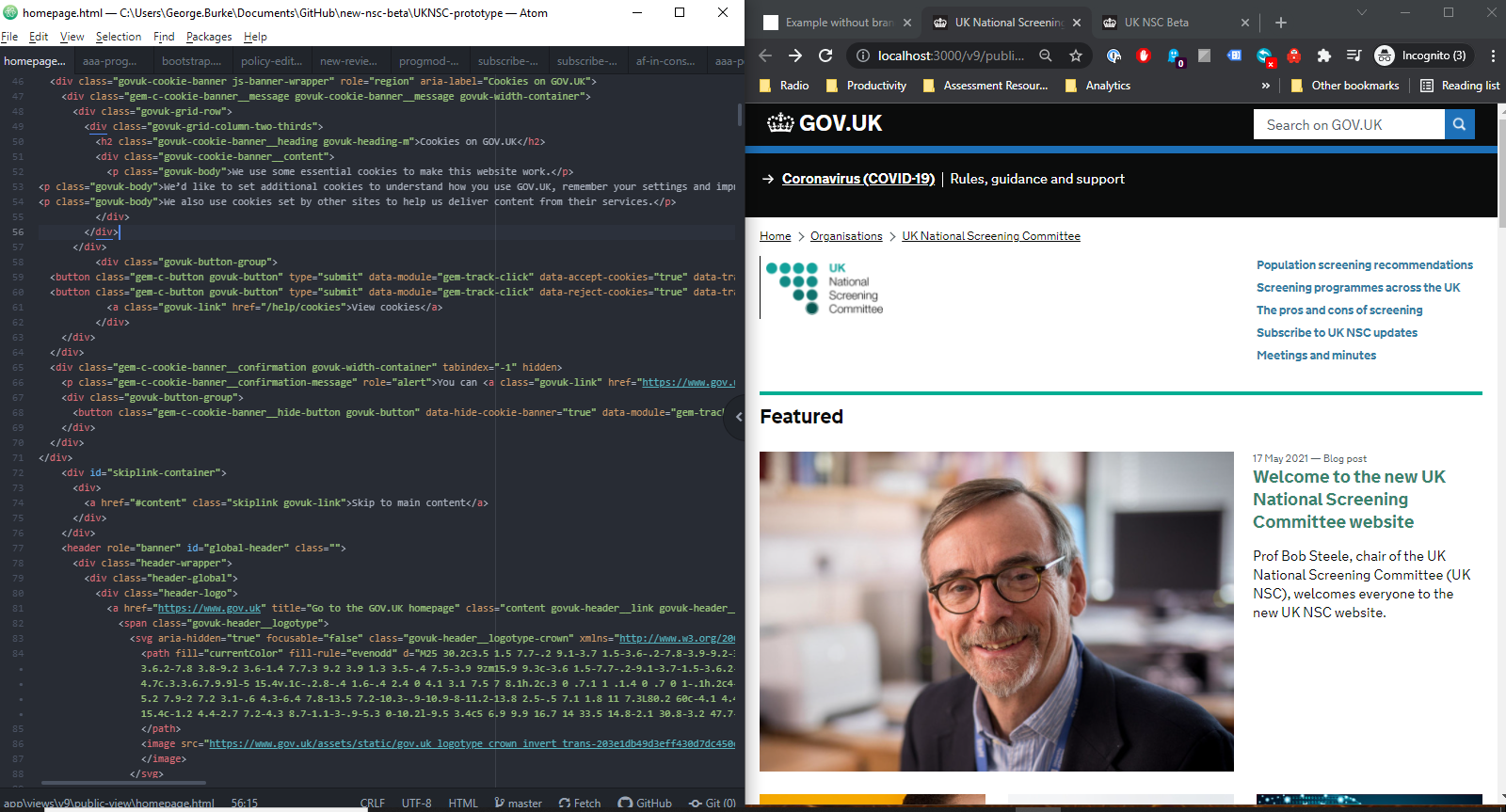
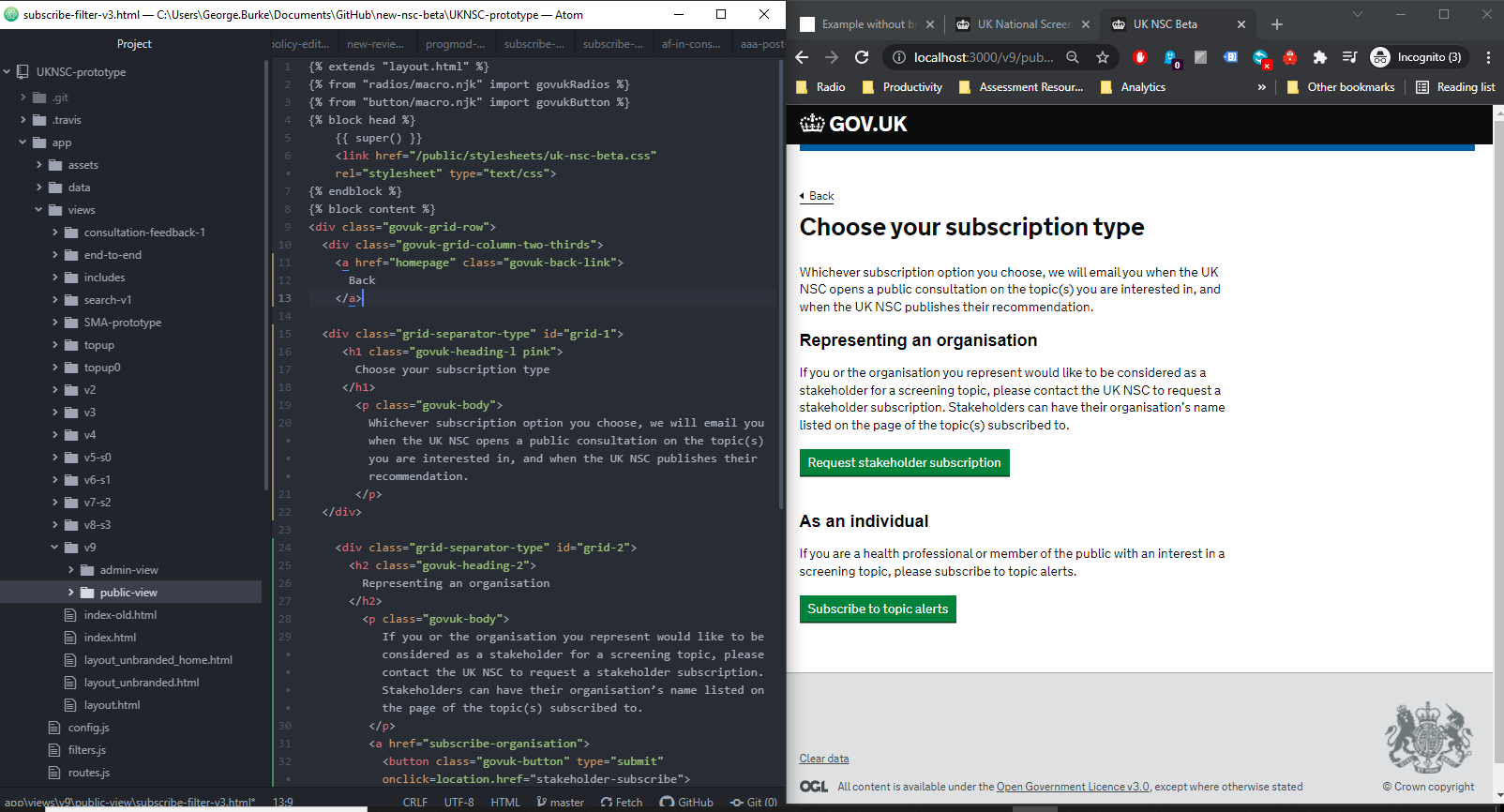
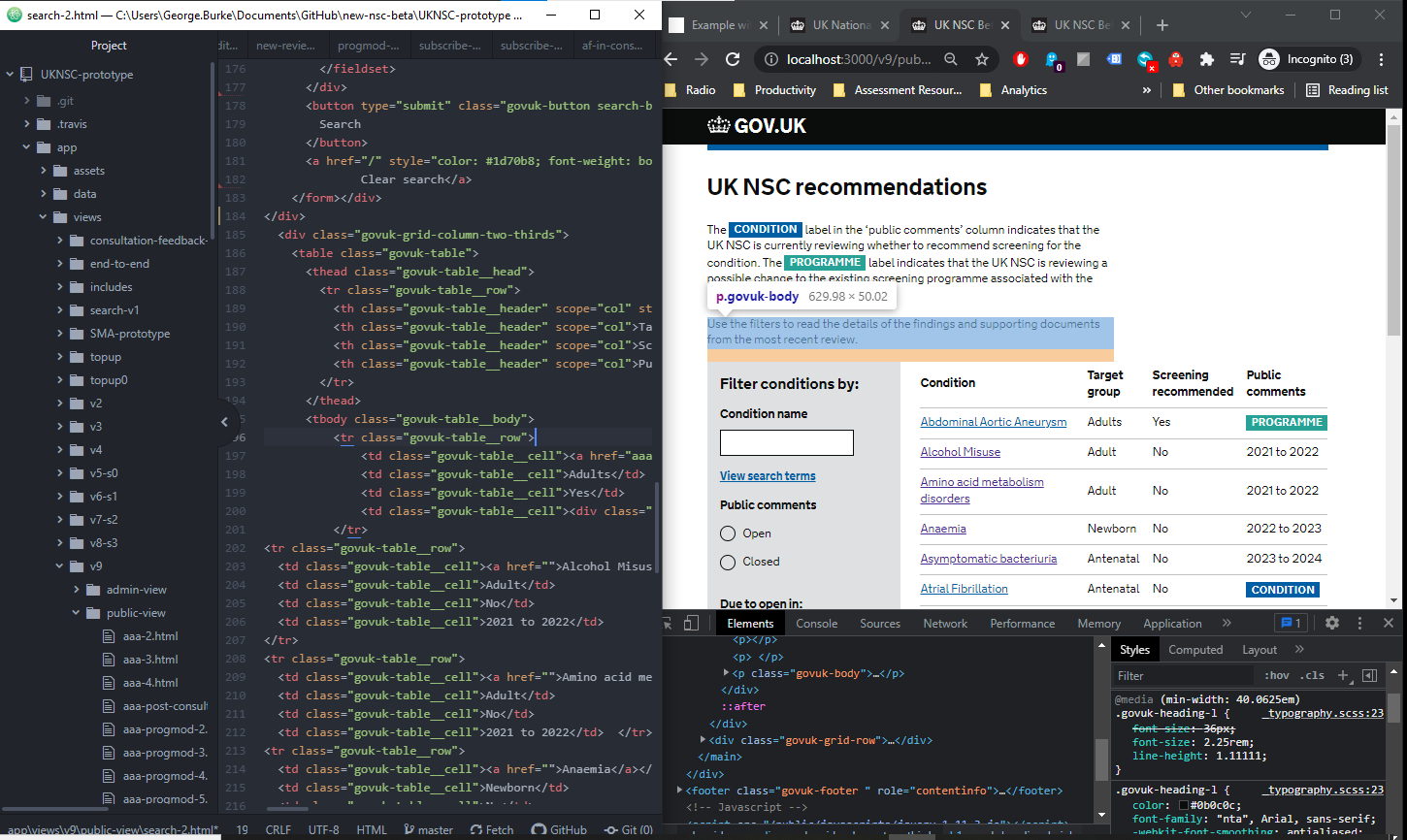
A working example is the clickable prototype we used to stage and test new designs for the UK NSC digital service. I managed the prototype resources, and coded our new designs into working webpages for usability testing. This prototype is based on the GOV.UK prototype kit, and uses the GOV.UK front-end design framework to mirror our live service. It’s developed with the node.js framework and npm utility, and utilises front-end frameworks such as HTML, CSS, SCSS & Javascript. I managed and published changes from a local environment into live using GitHub & Heroku.
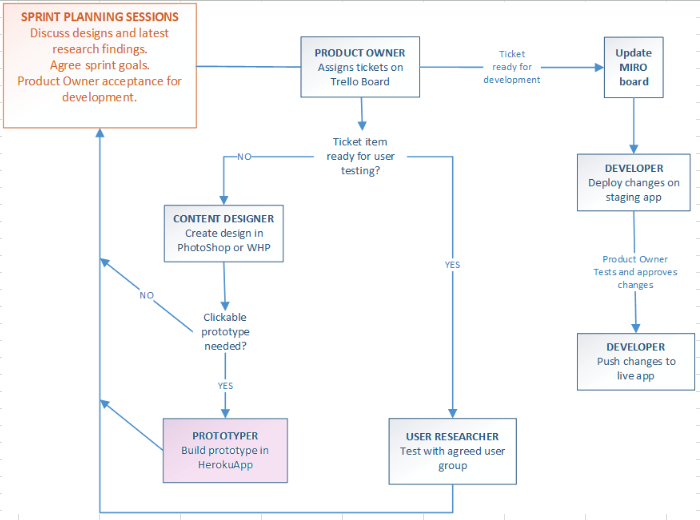
Successful prototyping in this way often requires more than simply developing ideas and designs into coded web pages. It involves:
- Collaborating with delivery managers, content designers, service designers and interaction designers to identify what designs need to be developed, for which features or user journeys, and addressing which user stories or user needs.
- Working with stakeholders and user researchers to establish how the designs will be tested and with whom, taking into consideration how the designs might be tested with users. An example consideration might be whether the prototype will need to be tested on mobile or desktop users, or whether certain accessibility factors need to be taken into account when developing the code.
- Developing new web pages in a local environment based on the designs, and integrating these with existing user journeys in the prototype. It’s important to pay attention to the styles, formatting and design rules used in the live environment, as this is what users are familiar with.
- Pushing the new prototype updates into a shareable repository, and publishing in a live environment where the new clickable designs can be reviewed and sent out for usability testing.
Below are a few screengrabs of what my prototyping process looks like:
WordPress & local environments: Adobe Suite, Figma & Miro
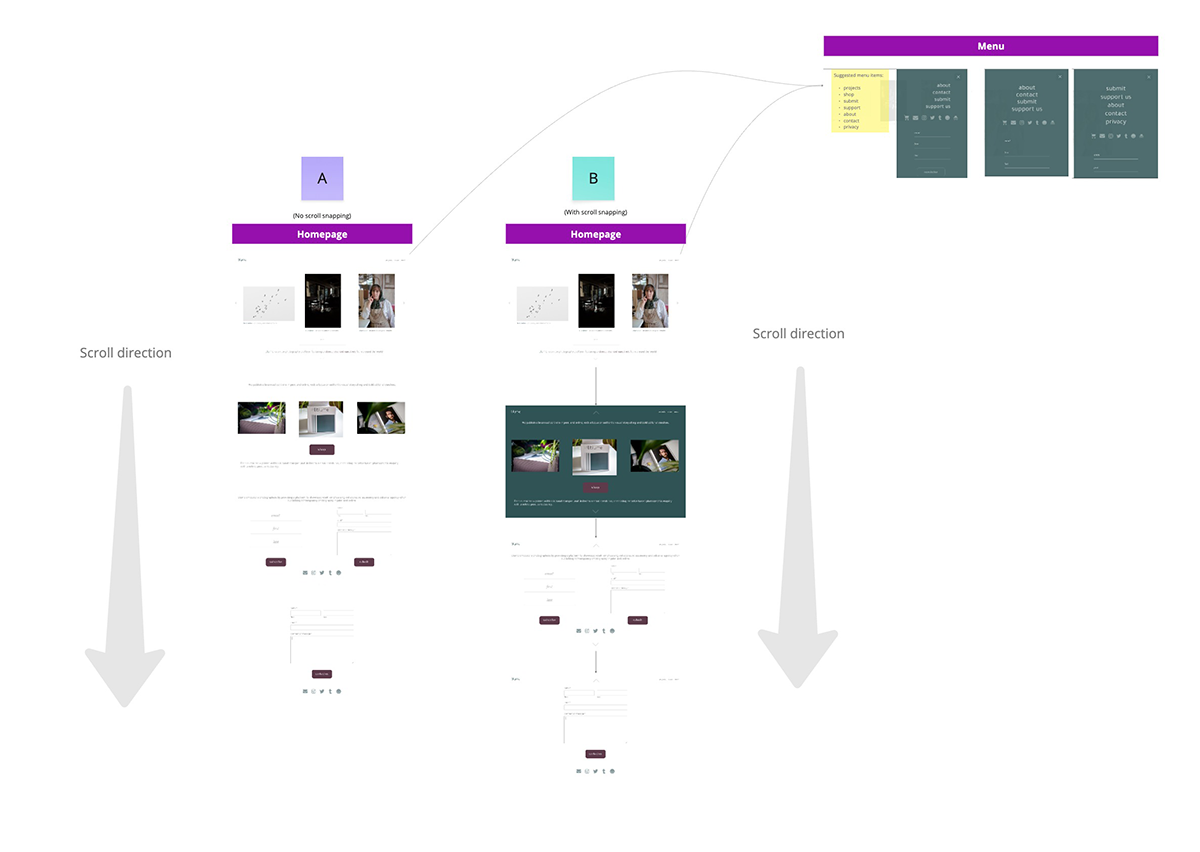
Alongside managing the content ecosystem and publishing workflows for blume magazine, I designed and built the website and digital presence from scratch. It’s built using the open-source WordPress platform, using a custom WooCommerce store for the online shop and taking advantage of the robust publishing capabilities of the WordPress CMS.
Throughout the development and iteration of the live site, I have tested and prototyped various designs and user journeys across different areas of the site. My general workflow is to sketch, design and wireframe using Adobe Photoshop, InDesign or an online tool such as Miro; develop first pass webpages and interactive elements in a local environment using MAMP; push changes into a live staging site to share with editors for testing; and finally push the approved updates into the live site at blumemagazine.com. If developing a particular new feature or user journey, I might also play around with prototypes in Figma before adding them to the site.